 TidyBee
1
Snap a bin
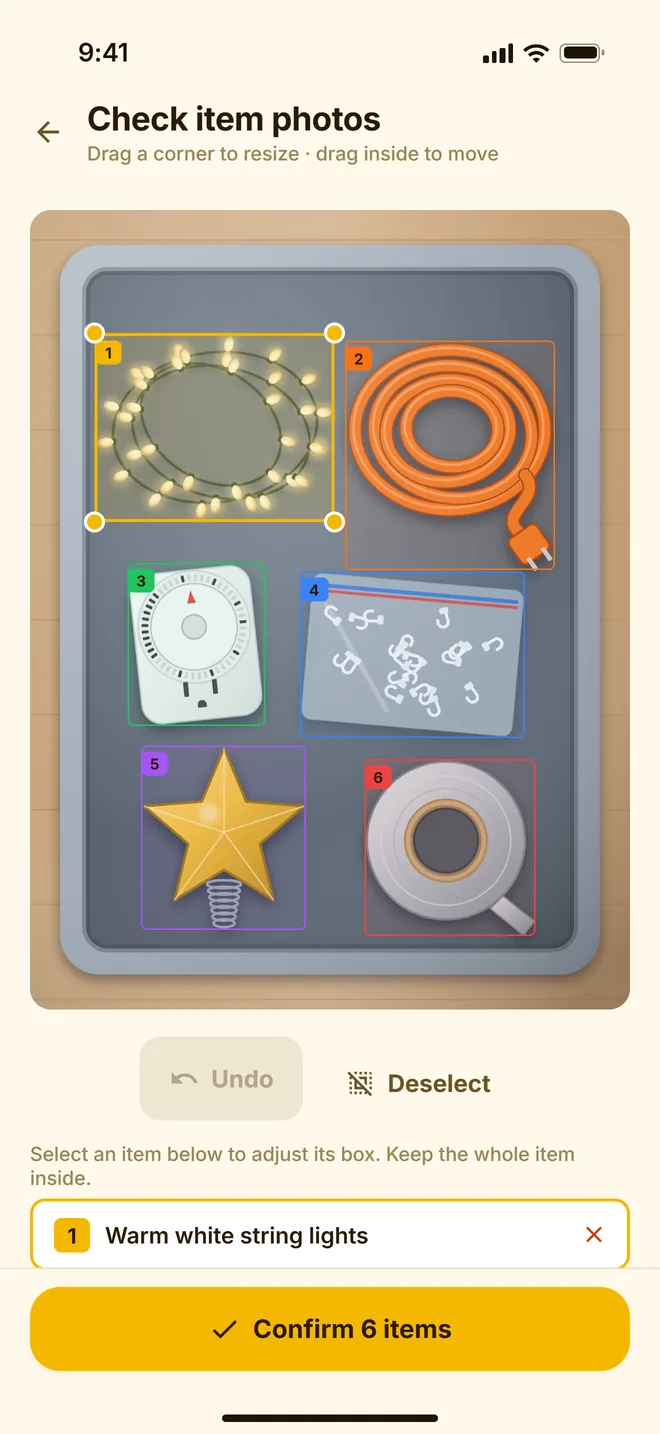
Point your camera at a box, shelf or drawer. The AI names what it sees and draws a box around each item.
Snap a photo and TidyBee’s AI lists what’s inside. Stick a standard NFC tag on the bin, and next time a quick scan with your iPhone opens its contents.
Free to start · iPhone and iPad · iOS 16.3 or later
Catalog a bin once, then find anything in it without opening the lid.
Point your camera at a box, shelf or drawer. The AI names what it sees and draws a box around each item.
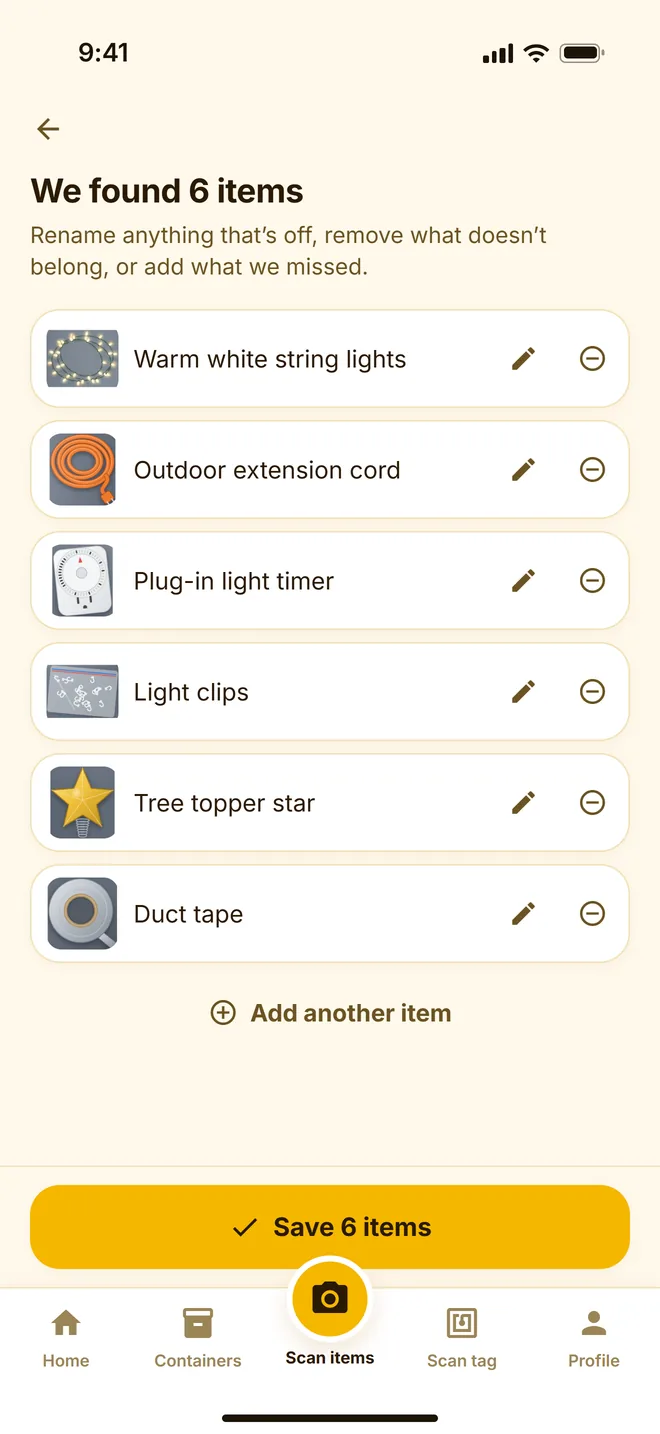
Rename anything that’s off, remove what doesn’t belong and add what it missed. Each scanned item keeps its own photo.
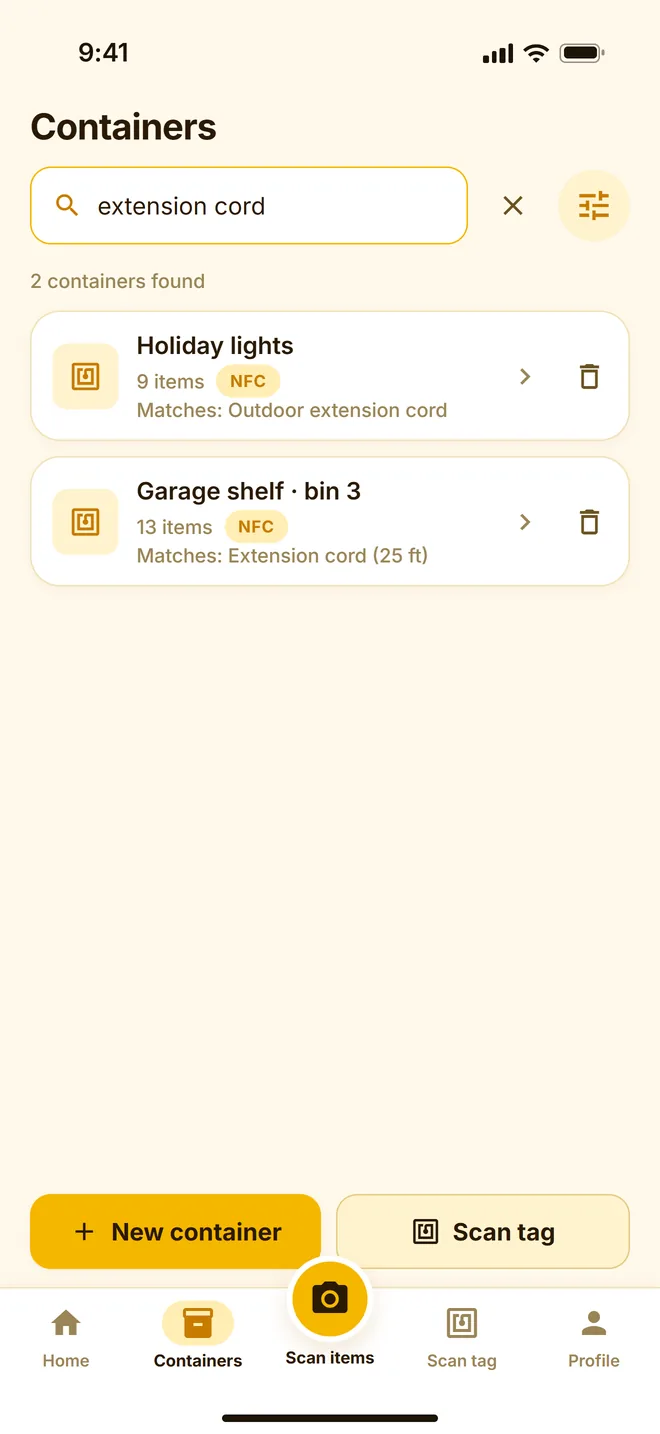
Link an NFC sticker to the bin, or just search. Type “extension cord” and see which bin it’s in.
One photo lists a whole bin, so you’re not typing every item by hand.
No printer and no special labels. Link a sticker to a bin once, then scan it to open that bin’s list.
Find any item across all your containers in seconds.
Scanned items are saved with a cropped photo, so you can tell which cord is which.
Sign in on another iPhone or iPad and your inventory is already there.
We don’t sell your data. Delete your account and everything in it from Settings, any time.
Especially the bins you only open once a year.
Start free. Upgrade when you have more bins than the free plan covers.
$0
$3.99 / month
Billed through the App Store. Renews monthly until you cancel in your Apple account settings.
No. You can create containers, scan items and search without them. Tags just make it faster: scan the tag on a bin and its list opens.
Standard NFC stickers such as NTAG213, NTAG215 or NTAG216. They’re inexpensive and sold in packs. Tags stuck directly on metal may not read unless they’re made for metal surfaces.
Not yet. TidyBee is available for iPhone and iPad on the App Store.
Yes, for scanning with the camera, browsing and searching. Reading and writing NFC tags needs an iPhone, because iPads don’t have NFC.
Photos you scan are sent to our AI service to identify the items in them. Cropped photos of the items you save are stored with your inventory until you delete them. Our privacy policy has the details.
In the app, go to Profile → Settings → Delete account. That removes your containers, items and photos.
Snap each bin before it goes back in the attic. TidyBee remembers what’s inside.